Editing person groups, moving them within the person group structure, and deleting them is carried out in the Worktime section under Administration -> Person Groups. For all of the above actions, click the person group in the person group main view that you want to modify.
Instructions for creating a person group in the service can be found
here.
Editing a person group
In the following example, the settings of the person group “Suomi / Finland” are edited.
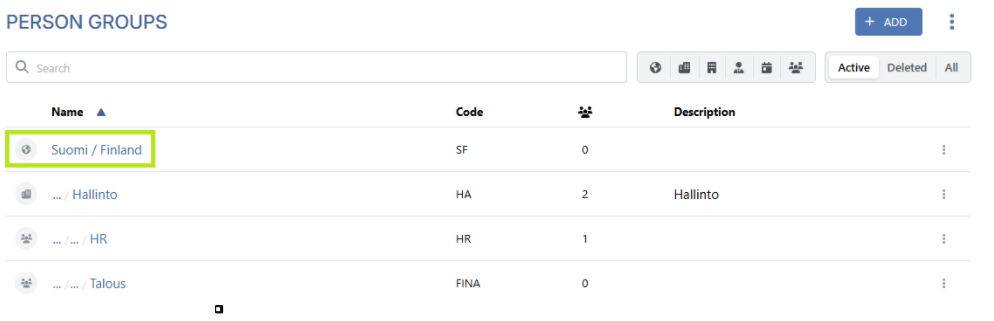
When you click the person group “Suomi / Finland”, the view that opens on the right-hand side of the service, on the “Main” tab, allows you to edit the person group’s settings: name, code, parent group (i.e., the person group’s position within the structure), and description.
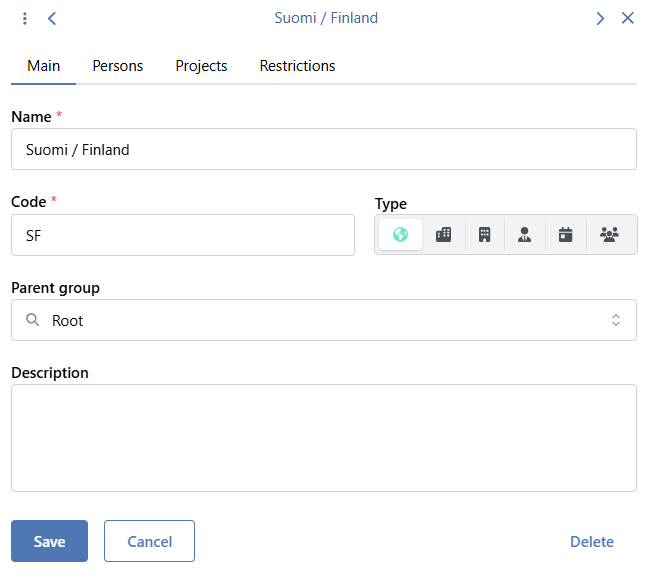
NOTE! The person group code is used as an identifier in person data integrations, so any changes to it may affect the transfer of person data.
Save the changes using the Save button.
Moving a person group
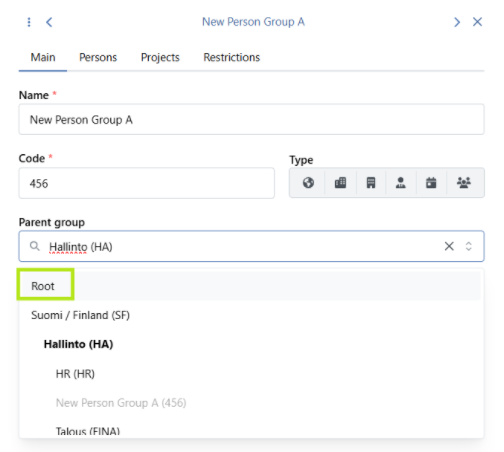
The position of existing person groups within the person group structure can be changed by moving a person group under a new parent group. In the following example, the person group
“New Person Group A” is moved from the root to under the
“Hallinto” person group by selecting “
Hallinto” as the new parent group.
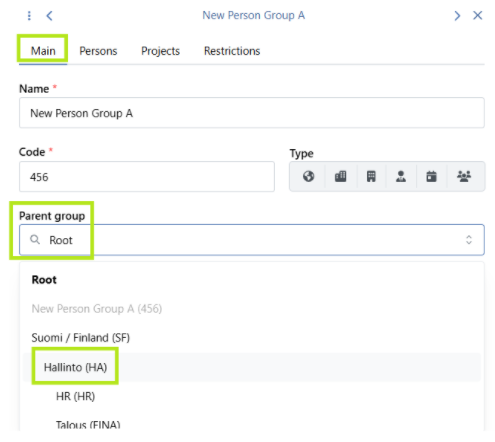
If it is necessary to return a person group to the root, making it its own parent group, select “Root” as the new parent group for the person group being edited. In the following example, the person group “New Person Group A” is moved to become its own parent group by selecting “Root” as the new parent group.
Members of the person group at the time of the transfer remain members of the moved person group.
NOTE! In some cases, the entire person group structure is imported for individuals via the person data integration. In such situations, changes to the person group structure in the service may affect the transfer of person data.
Deleting and restoring a person group
Deleting person groups is done by selecting the desired person group and then clicking the “Delete” button in the view that opens on the right-hand side of the service.
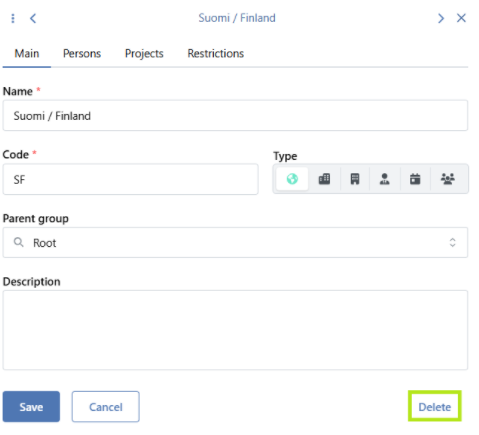
If the person group to be deleted has subgroups, you must choose what happens to them during the deletion process. If the subgroups are retained, they will be moved to the root in the person group structure, becoming person groups without a parent group.
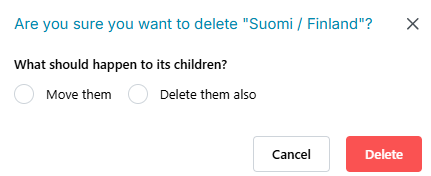
If the person group being deleted has members, they will become ungrouped persons.
Restoring a person group is done by first activating the “Deleted” option from the main view of person groups. This view lists all deleted person groups.
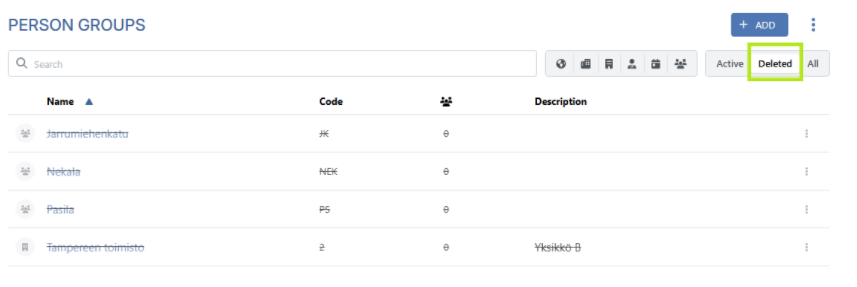
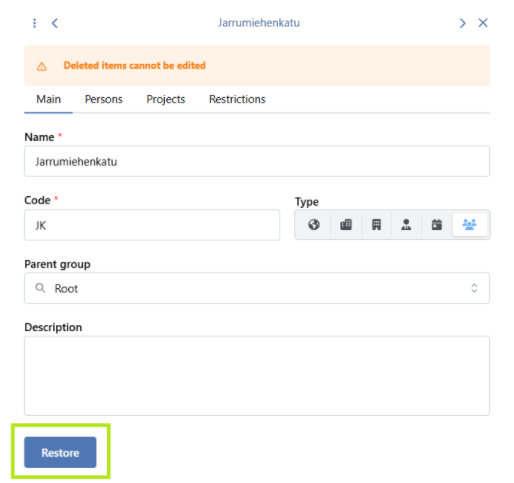
To restore a person group, first select the person group you want to restore from the list. Then, in the view that opens on the right-hand side of the service, on the “Main” tab, click the “Restore” button.
The person group will then become an active person group at the root of the person group structure. If necessary, the restored person group should be moved back to the correct position in the structure.
When restoring, the individuals who were previously members of the person group will be reinstated as members, unless they have been moved to another person group after deletion.